Version 4.7.0 of the app and version 2.5.0 of the console are live. The headline feature: photo documentation for the Professional Edition. Your team photographs the posters on site, and you prove every placement to your client with a PDF photo report.
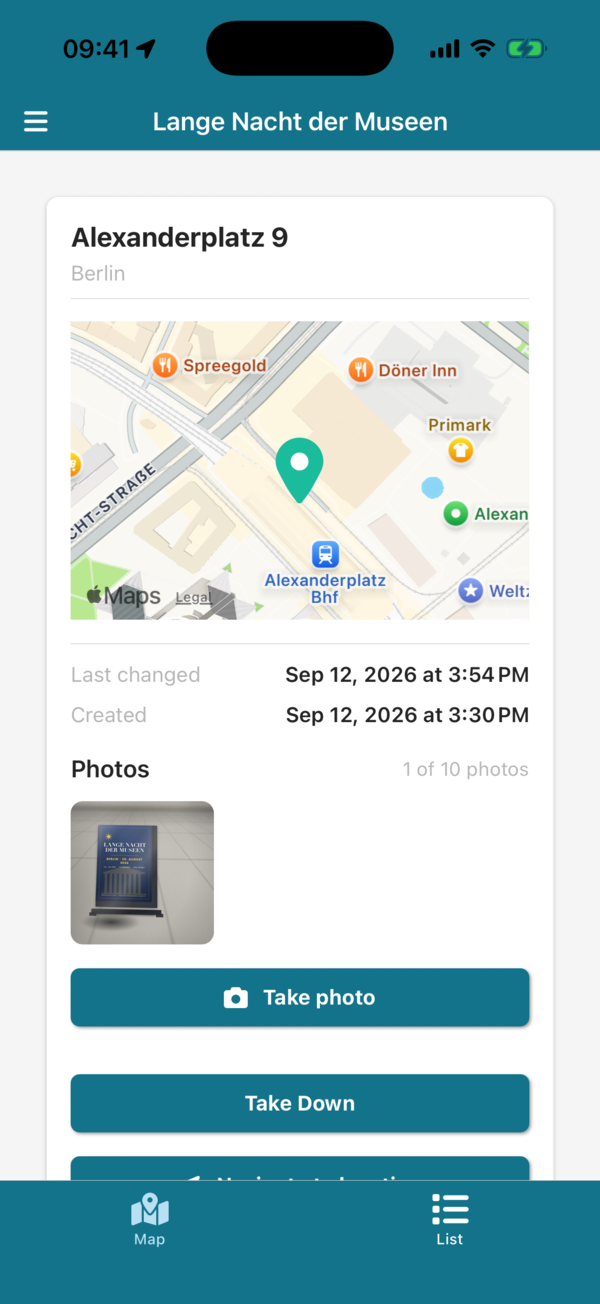
Photos in the app
- Take a photo: poster details now have a "Photos" section. You can add up to 10 photos per poster.
- Photo right after hanging: when the option is on for a group, the app asks for a photo as soon as a poster goes up. No proof gets forgotten.
- Works without signal: photos taken in a dead spot are saved on the phone and sent automatically once there is a connection again.
Photos and photo report in the console
- Photos of every poster: the list and the map show how many photos a poster has. "Show photos" opens all photos of a location, each with the date, time and name of the person who took it.
- PDF photo report: one click on "Photo report" turns a group's photos into a PDF: a cover page with key figures, an overview table of all posters, and the photos of each location with date and photographer. Posters without a photo are listed, so you spot gaps right away.
- Photo requirement per group: in the group settings you decide whether the app asks for a photo after hanging – for example only for campaigns where your client wants proof.
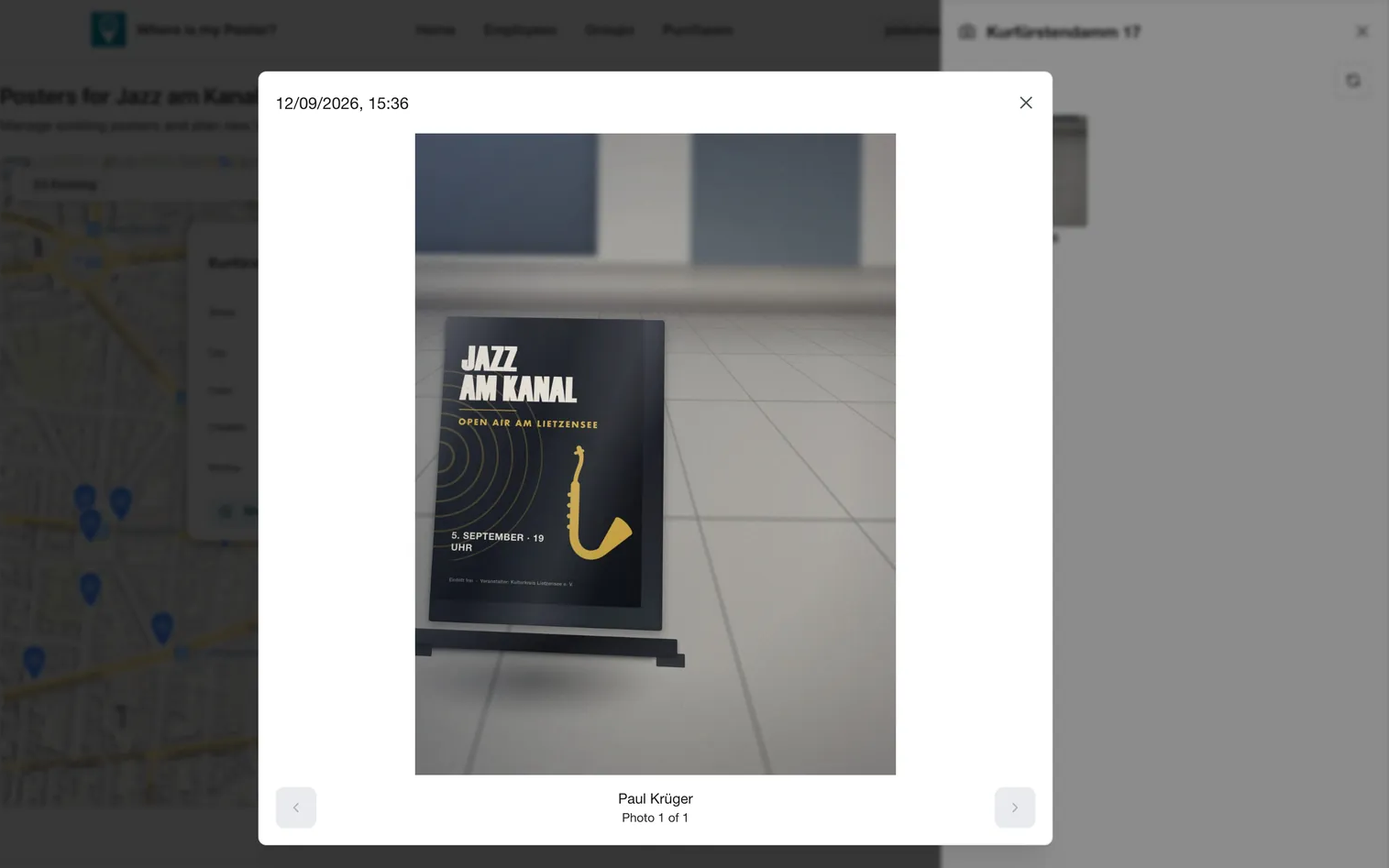
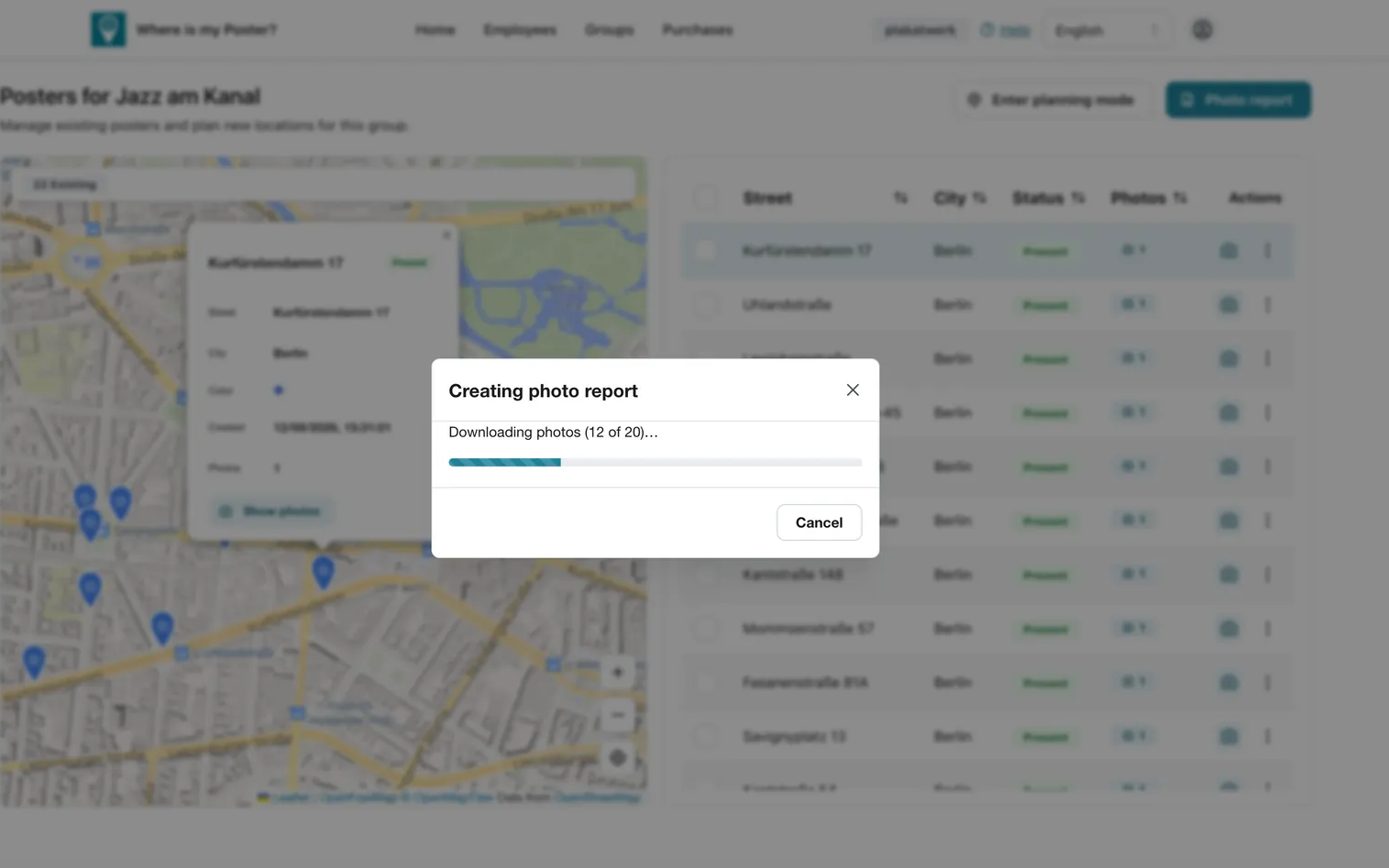
To see what a report looks like, open our sample report (PDF).
More changes
- Redesigned console: every page of the console – from the login to the dashboard, team members and groups to buying licences – has a new, consistent design.
- Organization ID: the "alias" used for the app login is now called Organization ID. You can choose it yourself, and the console provides ready-made login instructions to copy and pass on to your team.
- Simpler first login: the "First login" switch is gone from the app. On their first login, team members simply leave the password empty and then set their own.
- Invoices and billing details: the console lists all invoices, including add-on renewals, and shows what each invoice was for. Billing details are prefilled.
- Various bug fixes for better stability in the app and console.
Photo documentation is included in the Professional Edition. Get the app update from the App Store or Play Store and turn on the photo option in the group settings of the console.